
Invoices add-on
This add-on lets you generate professional looking invoices and email them to your customers.
Configuring the main settings
Go to WP Booking System → Settings → Payment Options → Invoices.
Adding in the Buyer Details
The Buyer Details differ for each invoice, so these will need to be configured from the Form Options page, as they depend on the information the customer enters when making a booking.
Go to WP Admin → WP Booking System → Forms → select a form → Form Options → Invoice Settings.
Viewing and Managing Invoices
Once a booking is made, an invoice is generated automatically. Invoices can be viewed, downloaded, or modified by editing the calendar and clicking on the booking to open the booking details modal.
You can view or download the invoice from the Payment Details tab.
You can also view or download the invoice from the Invoice tab or you can change the Buyer Details if you need to.
Cancellation Invoices
When a booking is cancelled, WP Booking System can automatically generate a cancellation invoice for that booking.
Cancellation invoices are useful when you need to document the cancellation of a previously issued invoice while keeping a clear record of both documents.
To enable this feature, go to Settings → Payment Options → Invoices, then enable the Enable Cancellation Invoices option to generate an invoice when a booking is cancelled.
Once enabled, changing a booking’s status to Cancelled will generate a cancellation invoice linked to the original booking.
The cancellation invoice uses the same buyer and seller information as the original invoice and reverses the invoiced amount, allowing the original invoice and its cancellation to remain available in your records.
You can view and download the cancellation invoice from the booking details modal, alongside the original invoice.
Note: Cancelling a booking and generating a cancellation invoice does not automatically refund the customer’s payment. If the booking was paid online, the refund must be processed separately through the payment provider.
The Invoice
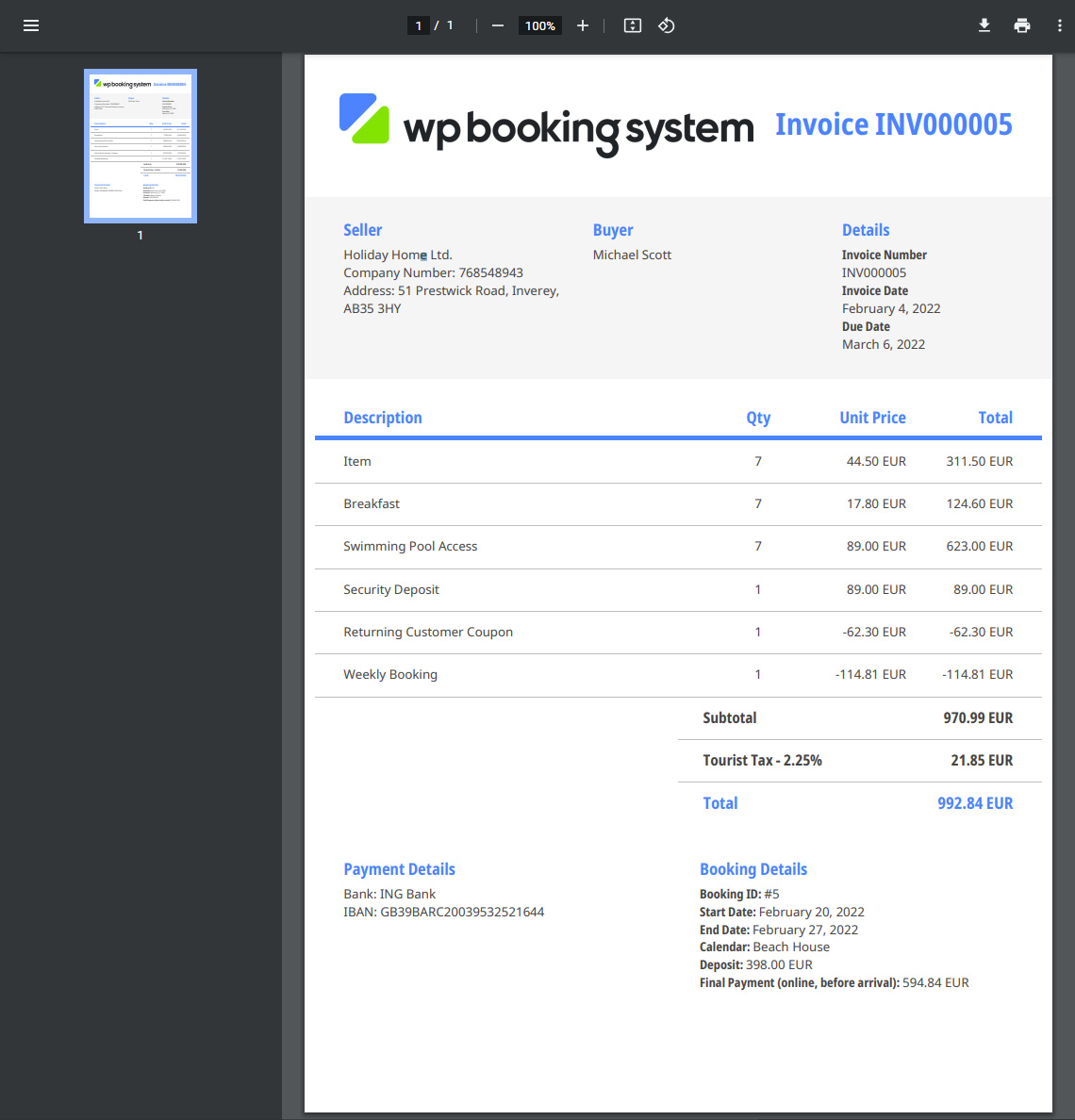
See the screenshot below for a demo of the invoice, or download a sample PDF file from here.
eInvoice
eInvoice is the electronic exchange of an invoice document between a supplier and a buyer. An eInvoice is an invoice that has been issued, transmitted and received in a structured data format which allows for its automatic and electronic processing, as defined in Directive 2014/55/EU.
If the eInvoice option is active, an eInvoice compliant with EN 16931 will be generated for each booking.
