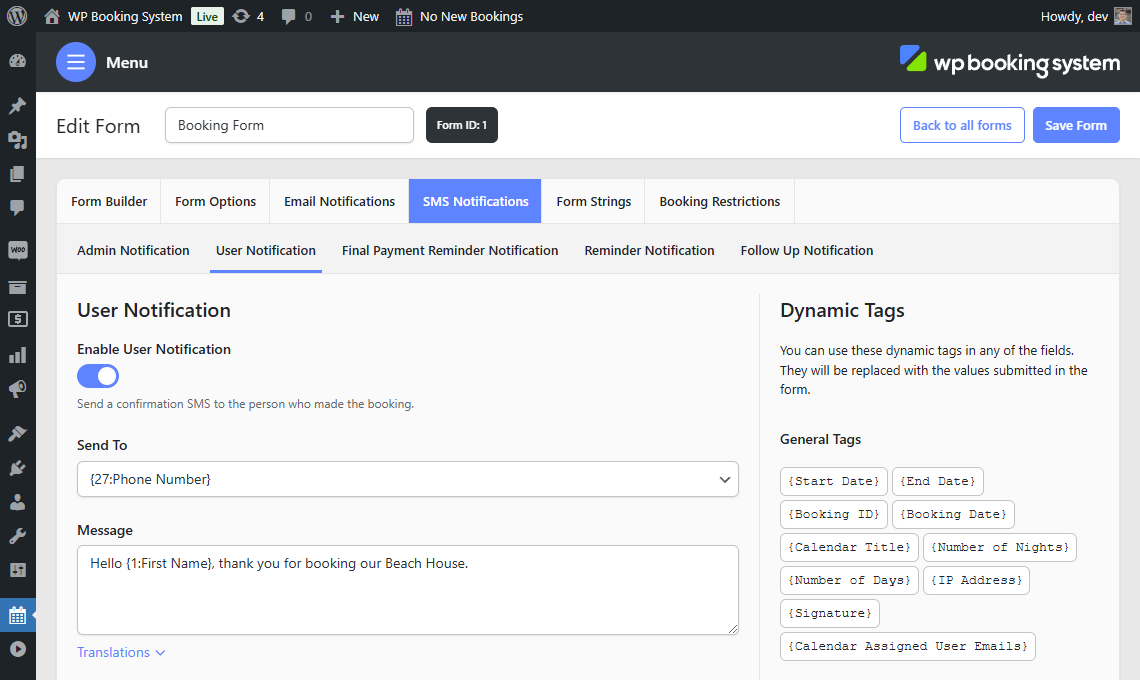
SMS notifications
There are multiple SMS notifications you can configure to be sent at certain times.
| Admin Notification | Is sent to you, the website administrator, whenever a booking is made. |
| User Notification | Is sent to the customer after they make a booking. This SMS is sent regardless of the payment method used or whether the booking is automatically accepted or not. |
| Final Payment Reminder | This is only available if Part Payments are enabled on the plugin’s Settings page. Sends an SMS to the customer X days before the booking starts. |
| Reminder Notification | Sends an SMS to the customer X days before the booking starts. |
| Follow Up Notification | Sends an SMS to the customer X days after the booking ends. |
All SMS notifications are optional and can be enabled or disabled.
Fields
| Send To | The recipient of the SMS. For customer notifications, this field is a dropdown allowing you to select the “Phone” form field from the form builder. |
| When to send | Available for the Final Payment Reminder, Reminder Notification, and Follow Up Notification. The number of days before or after the booking start or end date when the SMS will be scheduled. |
| Message | The message. |
You can use Dynamic Tags in Message field.